Feature

Send WhatsApp Broadcast (Officially)

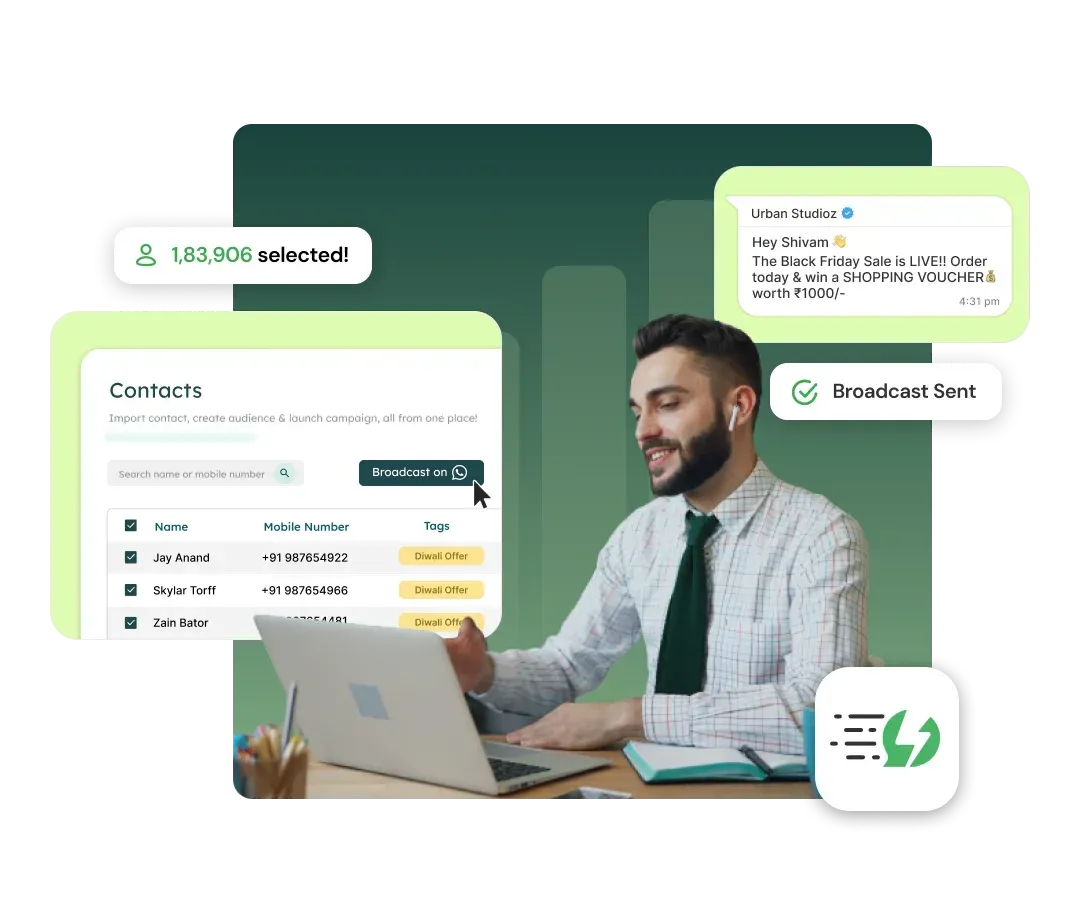
Broadcast WhatsApp messages to unlimited users in one go! Broadcast product releases, newsletters, promotional offers - without the risk of getting blocked!

⚡️Powered by Official WhatsApp Business API
Why WhatsApp Marketing in 2024?

WhatsApp is the One Platform that brings together Actionable Notifications & Customer Support!

0
%

Open Rates

0
-
0
%

Click Rates

2.60Bn+

Active Users

0
%

Engagement Rate

Advanced Features that drive Conversions

3X Your revenues using Connect Marketing Platform

Campaign Scheduling

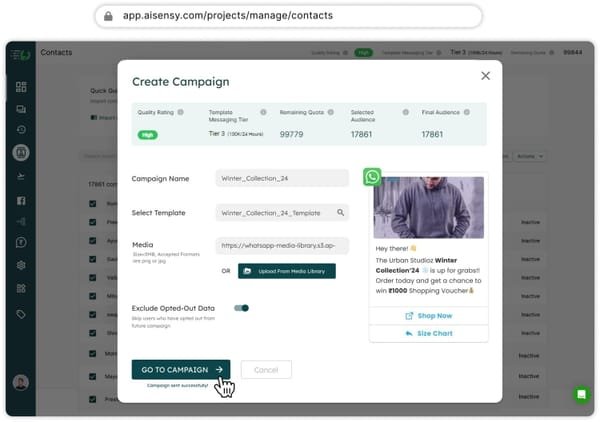
Schedule your broadcasts up to two months in advance, optimizing delivery across different time zones.
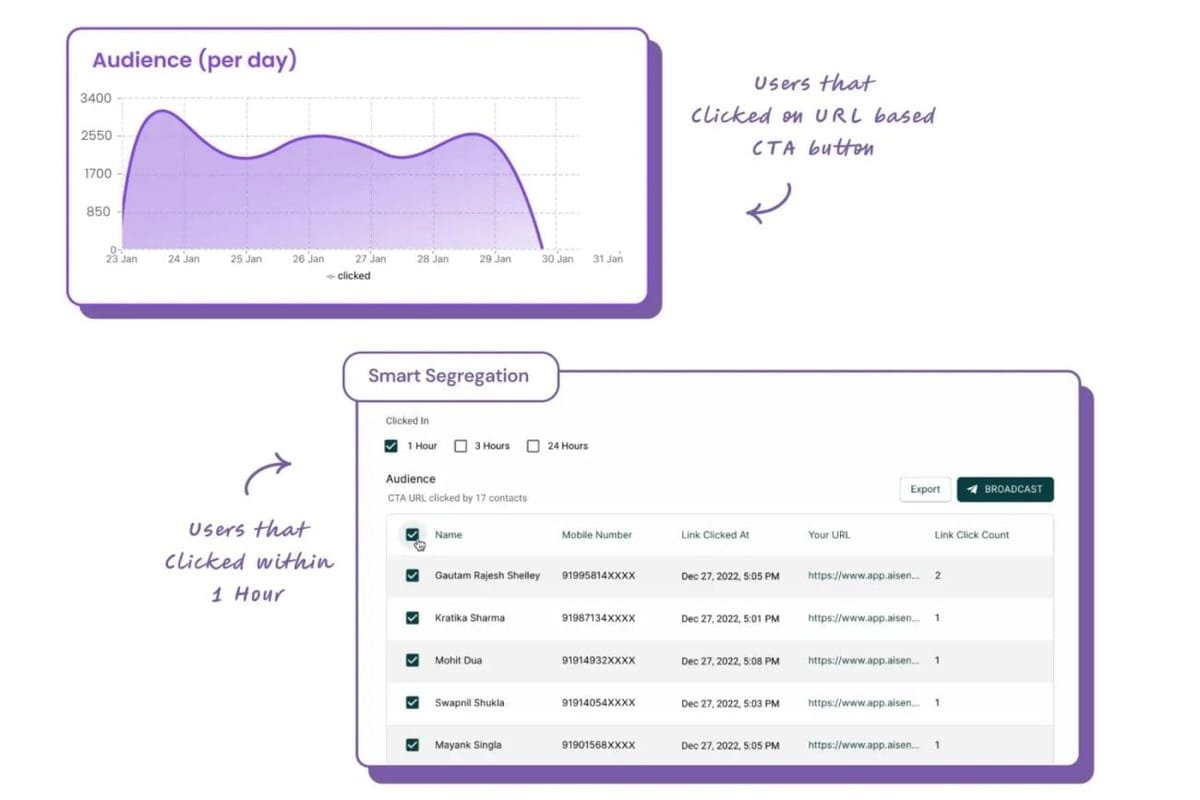
Real-Time Analytics

Track key metrics such as delivery rates, read rates, clicks, and responses, enabling quick and informed adjustments.
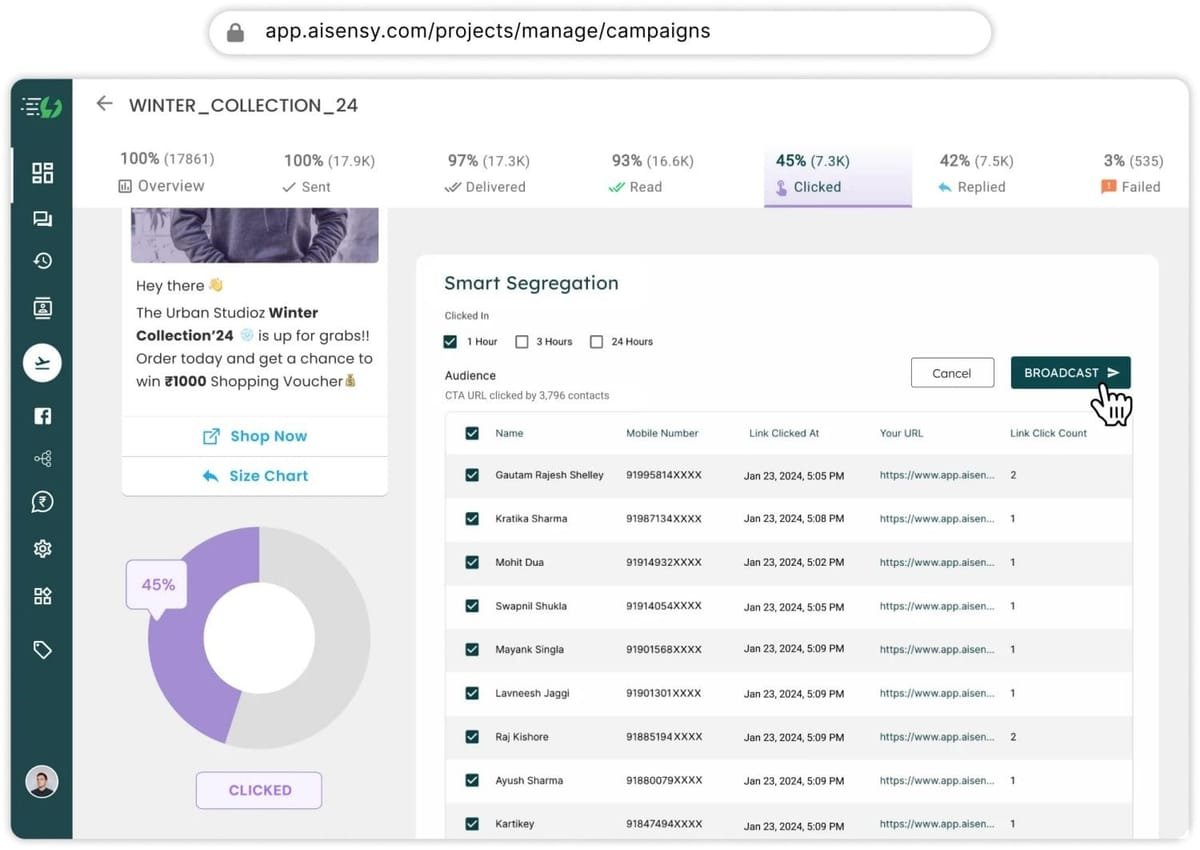
Retargeting Campaigns

Re-engage users based on past interactions, such as read messages, replies, or clicks on CTA buttons.
Complete Automation and Integration

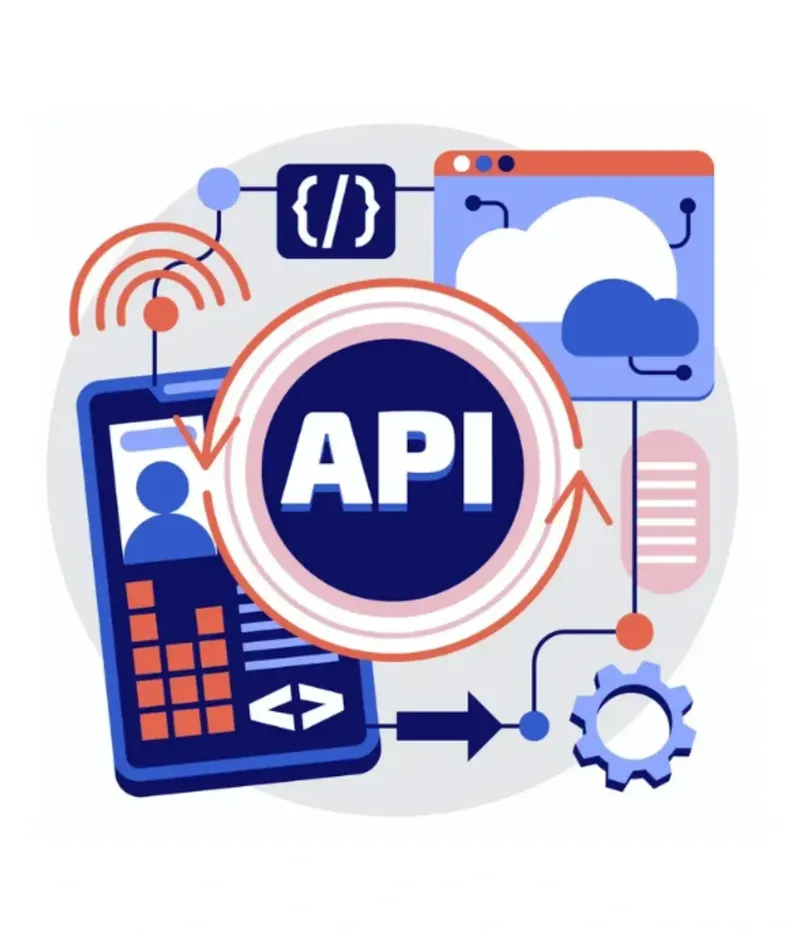
Seamlessly integrate with CRMs, eCommerce platforms, and tools like Zapier, Shopify, and HubSpot to automate workflows and maximize results.
Advanced Audience Segmentation

Filter contacts by tags, attributes, user behavior, and campaigns, enabling highly targeted messages for specific audiences.

Message Personalization

Create personalized messages based on user attributes like name, location, or behavior to boost engagement.

Carousel Cards and Interactive Button Messages

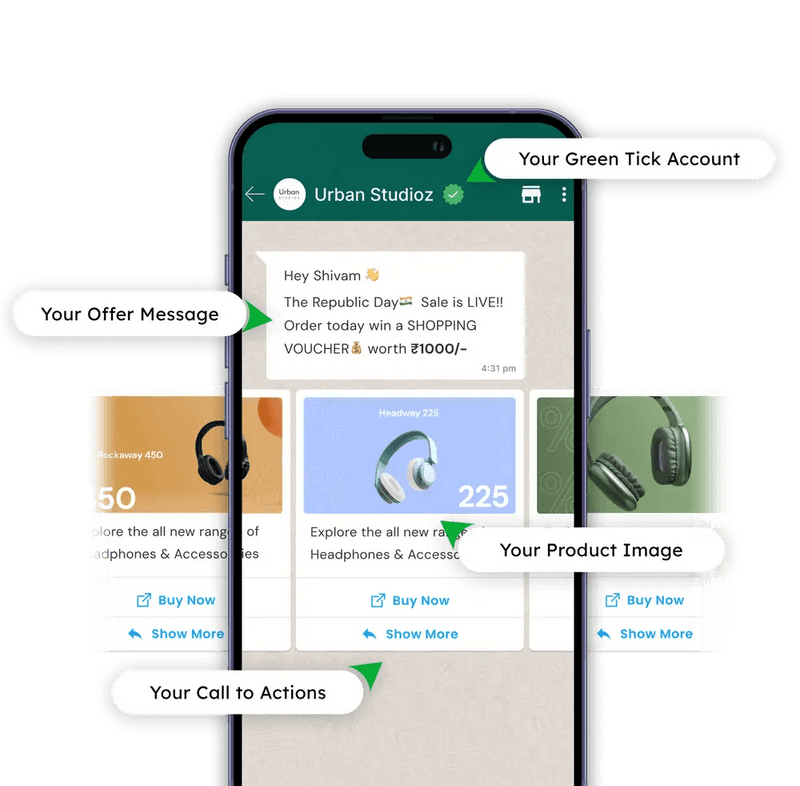
Send visually appealing messages with up to 10 images or videos, including actionable buttons to drive 60% more clicks.
Founders & Marketers Love us

Trusted by 50000+ Businesses across 53+ Countries

How to Broadcast Messages with Connect

Follow these simple steps to send a WhatsApp Broadcast using Connect and maximize your reach:
#1

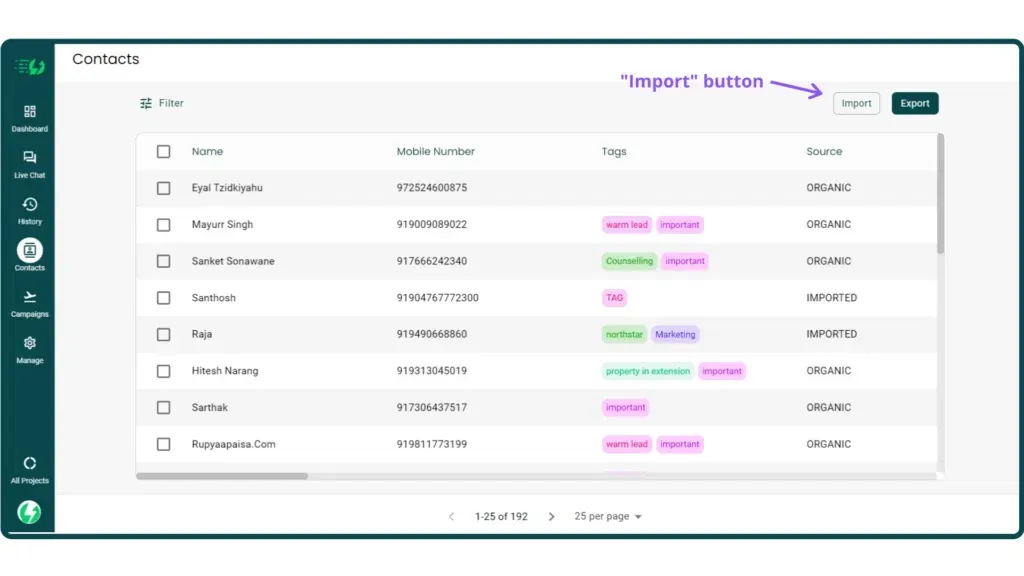
Import Your Contacts

  • Access the "Contacts" section in the Connect app.
  • Upload a list of opted-in contacts in CSV format or sync directly from your integrated tools.
  • Use tags and attributes to organize your audience for targeted broadcasts.
#2

Create Your Campaign

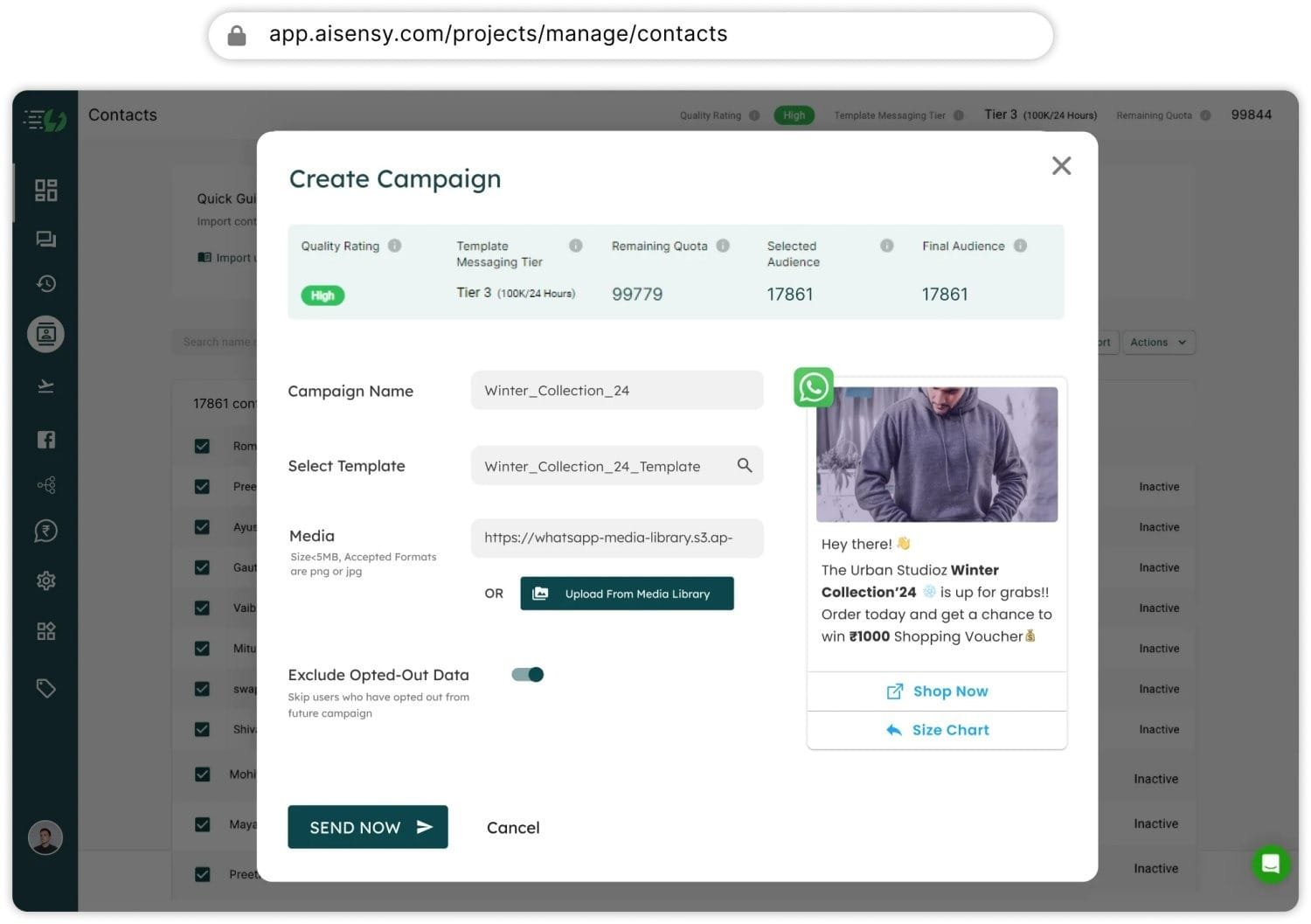
  • Go to the "Broadcast" tab and click "Create Campaign."
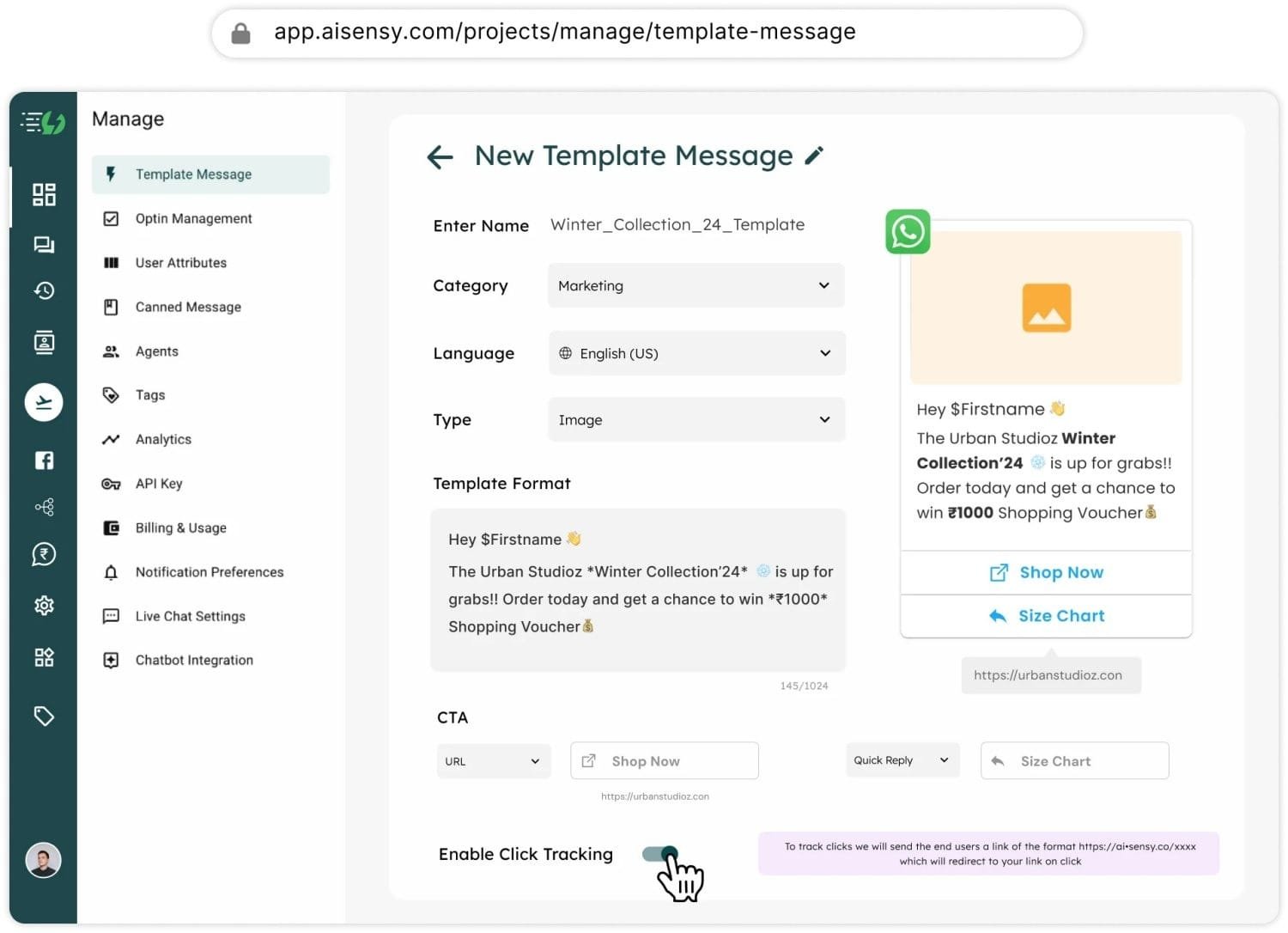
  • Select a pre-approved WhatsApp message template or create a new one for approval.
  • Personalize the message by adding variables like user names or custom fields to make it more engaging.
Learn More
#3

Segment Your Audience

  • Filter your contacts by tags, attributes, or past interactions (e.g., read, replied, or clicked users).
  • Select the most relevant audience to receive your broadcast.
#4

Schedule or Send Your Broadcast

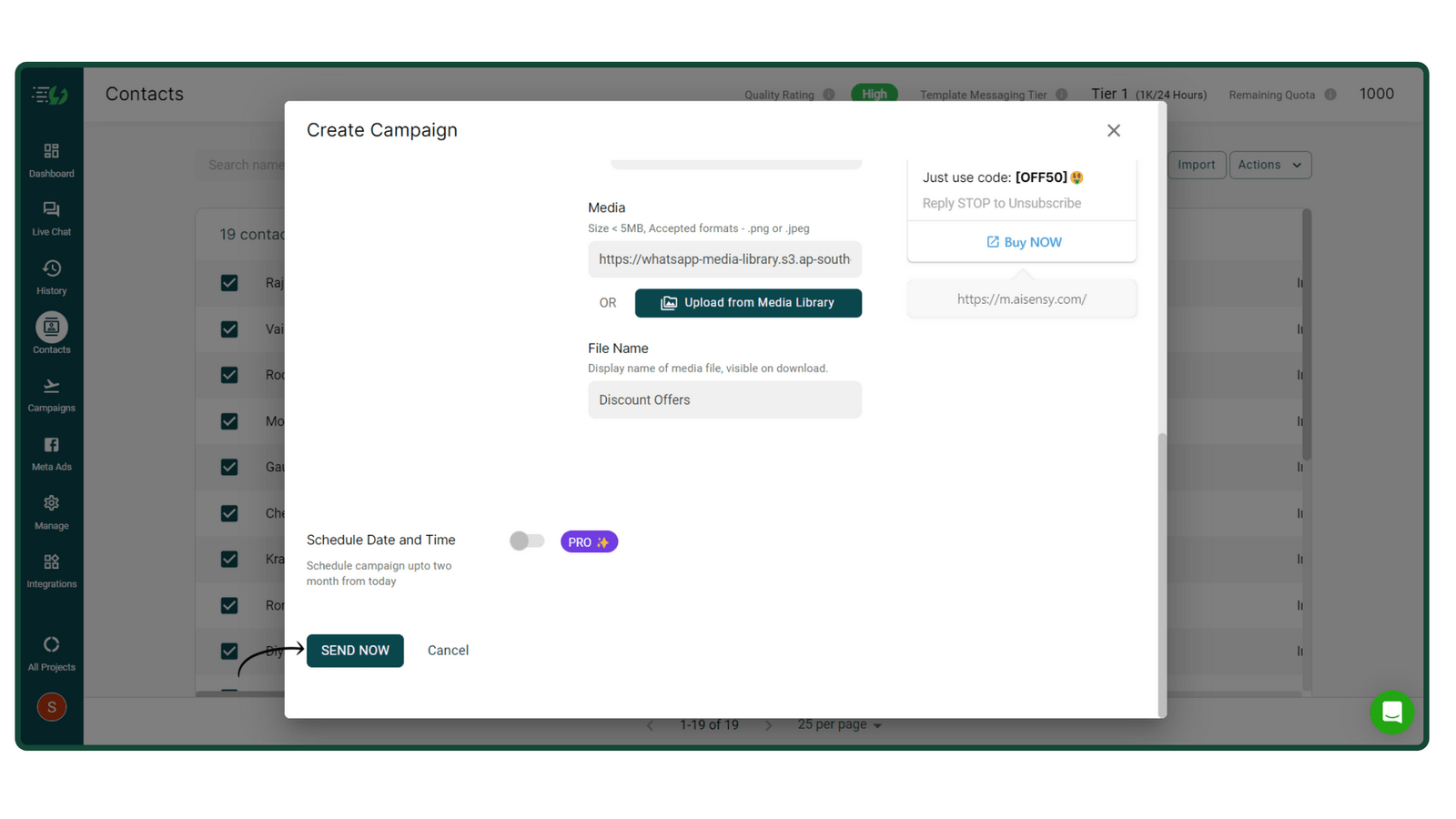
  • Choose between sending your broadcast immediately or scheduling it for a later time.
  • Leverage Connect’s scheduling feature to plan messages up to 2 months in advance for optimal timing.
#5

Monitor Performance

  • Go to the "Campaigns" page to track your broadcast’s performance in real time.
  • Analyze key metrics such as delivery rates, read rates, replies, and clicks.
  • Use this data to refine your strategy and improve future campaigns.

Everything You Need for Whatsapp Engagement

Connect Platform covers all aspects of Marketing, CRM & Customer Support in one place.

Multiple Human Live Chat

Enable Multiple Human-Agent Live Chat Support on the same Whatsapp number.

Chatbot Flow Builder

Build multiple WhatsApp Chatbots easily, thanks to a drag-and-drop interface that requires zero coding expertise.

Retarget Users on WhatsApp

Connect’s WhatsApp Retarget feature allows you to segregate your audience and Re-Broadcast for higher conversions.

WhatsApp Scheduler

Schedule Broadcasts up to 2 months ahead of time across varying timezones.

Import, Broadcast & Track

Track users clicking on your message's CTA buttons with this Pro Feature.

Ads that Click to WhatsApp

Drive 5x More Leads with Ads that Click to WhatsApp.

WhatsApp Webviews

Load web pages directly within WhatsApp. No more losing customers to external browsers.

WhatsApp Forms

Create and send forms with this native integration. Capture leads, book appointments, collect feedback, and more.

Get Started Today

Reach unlimited users effectively and efficiently with personalized messages that drive results.

⚡️Powered by Official WhatsApp Business API

FAQ

How does a WhatsApp Broadcast work?
A WhatsApp Broadcast allows businesses to send a single message to multiple users simultaneously, while ensuring that each recipient sees the message as an individual chat. Using Connect, you can:
  • Import your opted-in contacts.
  • Create personalized messages using pre-approved templates.
  • Broadcast these messages to unlimited users without compromising your number.

It’s an efficient way to share updates like product launches, promotional offers, newsletters, and more, ensuring high engagement rates.

What is a WhatsApp Broadcast list?
A WhatsApp Broadcast list is a curated list of contacts who have opted in to receive messages from your business. With Connect, you can organize these contacts based on:
  • Tags (e.g., "New Leads," "Returning Customers").
  • Attributes (e.g., location, purchase behavior).

This segmentation allows for highly targeted campaigns, ensuring the right message reaches the right audience.

All users receive the WhatsApp Broadcast in their personal chat, making it extremely private, secure & user-focused.

How many contacts can be added to a WhatsApp Broadcast?
Using WhatsApp Business App, you can add 256 contacts to a WhatsApp Broadcast. Using Connect, you can add unlimited contacts to a WhatsApp Broadcast and send it to unlimited contacts as well.
Is there a risk of my WhatsApp Business API number getting blocked?
When using the WhatsApp Business API through Connect, the risk of getting your number blocked is significantly reduced because:
  • Compliance: Messages are sent using WhatsApp-approved templates, ensuring they comply with the platform’s policies.
  • Opt-In: Only contacts who have explicitly opted in to receive messages are included in broadcasts.
  • Reputation Management: Connect monitors metrics like message delivery rates and user responses to maintain your number’s reputation.

By adhering to these practices, Connect ensures safe and effective communication without risking account suspension.

Ecellent

4.4 our of 5 based on 660 reviews